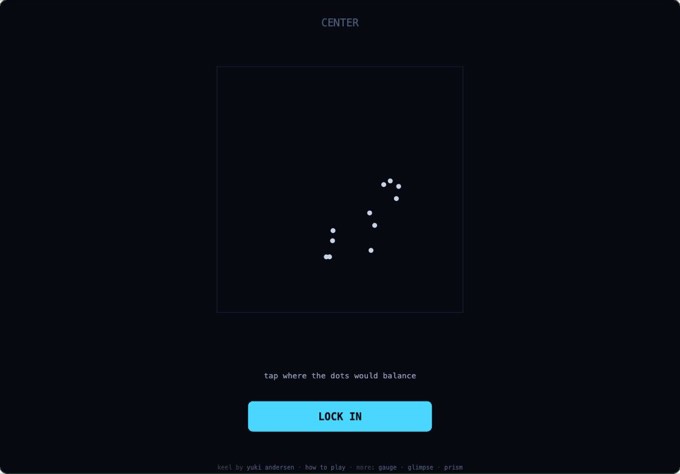
Keel is a five-round test of how you judge space by eye. You place a balance point among scattered dots, divide an irregular shape, reflect a point, size a circle and mark the midpoint along a curved line. Every prompt asks for a single estimate. The result shows how close you landed, so an answer a little off center still teaches you something about the way you judged it.
How to play Keel
Start each round when you are ready. Tap the board to position a marker in the dot, mirror and path tasks. Drag the divider in Split and resize the comparison circle in Size. Use Lock In to commit. On desktop the arrow keys let you nudge a placement and Enter confirms it. Touch players can make the same estimates using the on-screen controls.
Keel tips
In Center, imagine each dot as an equal weight. A tight cluster on the left can outweigh a few dots spread across the right. Start where the overall balance would sit and adjust toward the denser region. For Split, compare areas in strips. A thin tail reaches far across the screen while contributing little to the half it occupies.
For Mirror, imagine drawing a short bridge from the original dot to the mirror at a right angle. Continue in that same direction for the same distance on the other side. Use the guide marks to check your crossing. A mark halfway down an angled mirror can feel symmetrical when your eye measures only horizontal distance.
For Size, compare the body of the irregular shape with the circle and account for empty space between its widest points. For Mid, mentally divide the curve at prominent bends. Compare the lengths of those stretches, then place the marker at the point that makes the path before and after it feel even. A long bend can use up much of the first half before the line reaches the center of the screen.
Read the error after you lock
Use the reveal to compare the direction of your miss as well as its size. If your Center marker consistently falls toward the widest spread of dots, try counting how many sit in the smaller group before trusting the width of the cloud. If your Split marker lands too close to the thin side, look at the amount of space the thick side covers in each strip. Those misses ask for different adjustments even when both involve shifting a marker sideways.
Try a mental reference for the Size task. Enclose each shape in an imaginary box. A circle with the same height and width as a box leaves its corners uncovered. An irregular shape with two points that reach the sides can leave even more space empty. Compare how much of each imaginary box is filled, then use the circle’s size control to close the difference. That gives you a starting estimate before you judge the exact match.