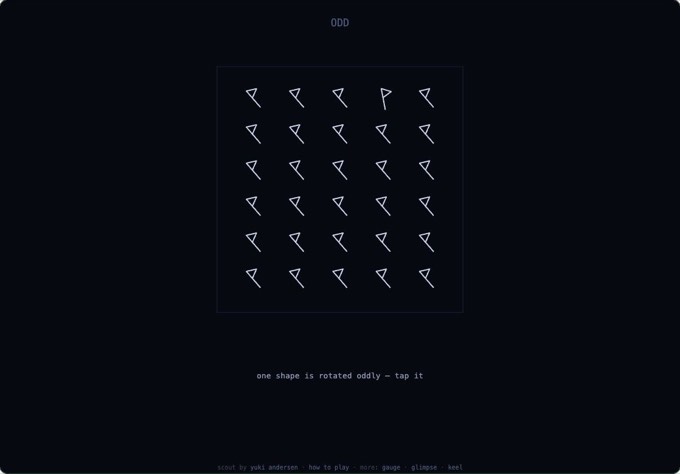
Scout is a daily attention game in which the target can hide in a crowd, flicker between frames or move out of sight. Across five rounds you compare orientations, trace a sequence of numbers, notice a change, follow a moving dot and find a single shape with a different structure. The clock matters on several rounds, so a repeatable way to search is part of the skill.
How to play Scout
Start each task from its prompt. Tap the target itself in Odd, Flick and Sweep. In Trail, tap the numbers in order. In Shadow, watch the highlighted dot until the dots vanish, then tap where you think yours stopped. Adjust your mark and lock it in. The game scores the search tasks from your speed and accuracy and the tracking task from the closeness of your mark.
Scout tips
If you keep missing the rotated item in Odd, scan the board in strips and remember which strip you finished. Each time you return to the same eye-catching shape you spend time you could have used on a new area. For Sweep, look for a T-shaped junction, where the stem meets the middle of the bar. An L can be rotated into many orientations without gaining that junction.
Before you tap the first number in Trail, locate the next two. After each tap, move your attention one step ahead of your finger. Lay out a route rather than trying to remember the position of every number at once. For Flick, focus on a small group and compare two successive frames. Something that merely looks unusual in one frame gives less evidence than an item that vanishes every second frame.
During Shadow, look for the dot's direction of travel as well as its exact position. When two candidates pass close together, check which follows the direction you were already tracking. Once they disappear, place your mark where the target ended the visible motion, then adjust it before locking if you recall a better spot.
Choose a search rhythm for each scene
If the board is large, divide it into quadrants before individual targets compete for your attention. Sweep by rows through one quadrant and move on as soon as every row has received a pass. A likely target can be checked before you tap by comparing it to two adjacent shapes. That comparison usually costs less time than the penalty for several hopeful taps.
In a flickering scene, keep your eye on the gap where a feature should appear. If the scene alternates between two frames, the target's absence is as useful as its presence. Compare the same part of both frames and move your attention to a neighboring region only after you have seen a full cycle. In tracking, pick a nearby edge as a reference during the last second of movement. An estimate of where the dot was relative to that edge gives you a more precise answer once only the empty field remains.