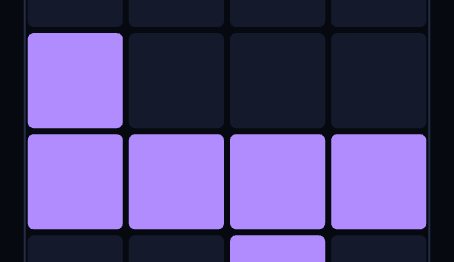
Glimpse presents five short memory tasks. A grid, dot, sequence, number or pair of shapes appears once, then the game asks you to reproduce part of what you saw. The score reflects what you retained when the display went away. A different way of grouping the information can matter more than trying to stare at the entire scene at once.
How to play Glimpse
Start the round when you are ready to look at the display. Tap grid cells in Cells, set a location in Spot and tap the tiles in sequence in Order. In Digits, enter the number on the on-screen pad. In Which, tap the position of the shape named after the flash. Lock In confirms most rounds. Order submits automatically when you complete the sequence.
Glimpse tips
For Cells, turn a scattered pattern into one or two shapes. You might remember an L in the lower left and a separate upper-right square. On a denser board, pick up the unusual gaps as well as the filled regions. A compact mental picture helps reconstruct the group while leaving you room to check the single cells you remember.
For Spot, estimate the position relative to the sides of the area. “A quarter from the top, three-quarters across” is a stronger target than “near the middle.” For Which, attach a separate location description to each shape. Remembering both shapes will not tell you where the one the game names was, so pair each identity with a zone as soon as it appears.
In Order, group the flashes in pairs or give the sequence a small rhythm. Use the game’s Undo if you catch a misplaced tap before the round submits. Break a long string in Digits into two shorter parts, especially if the digits repeat. If you remember only the beginning, enter it in order and confirm. The round can keep partial credit and still advances to the rest of the daily.
Recover a partial memory
Suppose you remember two illuminated groups but feel unsure about a cell in the far corner. Mark the confident group first and check how many cells the prompt asked you to recall. If the number leaves room for the doubtful cell, give yourself a short moment to reconstruct its neighboring squares. A strong fragment can come back when you picture the rest of that row instead of guessing at a single empty spot.
For a flashed number such as 731409, a possible grouping is 731 and 409. Read the first group and the second with a brief gap, then enter their digits in that order. Try a different grouping during practice if your misses cluster toward the end of the string. In a location task, compare your result against one dimension first. If your horizontal estimate was good and the vertical one was low, concentrate on height the next time you describe the location to yourself.